

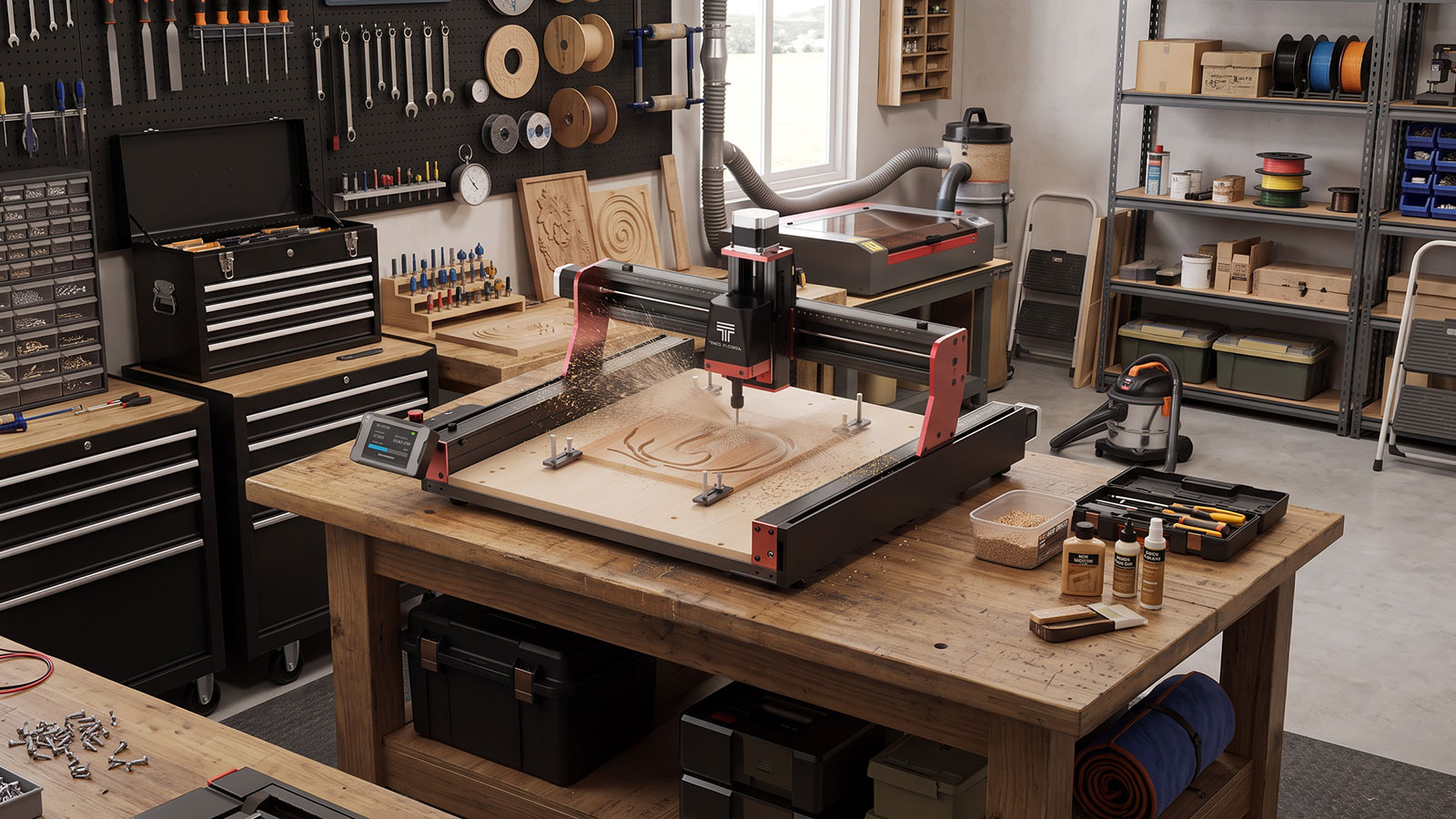
This Two Trees TTC450 Pro review covers what's actually in the box, how the machine sets up, what running a first project looks like, and the upgrade path once you're ready to push it further. The short version: it's a genuinely capable benchtop CNC router for makers, educators and small businesses cutting wood, acrylic, plastics and soft metals, provided you're comfortable with some initial assembly and don't need a fully enclosed, hands-off machine.
By the end of this guide you'll know what the TTC450 Pro can and can't do, how to get it running safely, and which upgrades, spindle, router or 4-axis module, are worth adding and when.
Two Trees TTC450 Pro Overview
The Two Trees TTC450 Pro (CAT.NO TL9000) is a benchtop CNC router built around a reinforced aluminium and stainless steel frame, an aluminium profile bed, and NEMA 17 stepper motors driving the gantry on a leadscrew system. It's controlled through a 3.5 inch colour touchscreen running GRBL, with USB connectivity for loading jobs from a computer.
- Work area — 460 x 460 x 80 mm, enough for most sign, plaque and small-batch production work.
- Chuck — ER11 steel, 1 to 7 mm clamping range, covers the common small end mills and engraving bits.
- Positioning accuracy — rated at ±0.05 mm.
- Materials — wood, acrylic, plastics and soft metals.
- In the box — a partially assembled machine, 24V 3A power supply, USB A-B cable, safety goggles and hearing protection, and 17 spare parts.
Work Area & Build
The 460 x 460 x 80 mm bed puts the TTC450 Pro in the same range as most hobby-to-small-business CNC routers. It's enough for name plaques, coasters, small furniture parts and sign-making blanks, but not full sheet goods. The aluminium profile bed and leadscrew drive keep repeat cuts consistent, and the reinforced frame stays steady enough for engraving and light milling without excessive vibration.
It isn't built for aggressive material removal in hardwood or metal. Stick to the materials Two Trees rates it for, and keep feed rates conservative, and the stock machine holds up well.
Setting Up the TTC450 Pro
The TTC450 Pro ships partially assembled, so budget time for the initial build before your first job.
- Follow the included manual to finish assembling the frame and gantry.
- Connect the 24V 3A power supply using the included IEC cable.
- Connect the machine to a computer with the included USB A-B cable if you're sending jobs from software, or work straight from the touchscreen for standalone jobs.
- Secure your material to the bed and use the touchscreen to home all axes before setting your work zero.
If you're still setting up the rest of your workshop around it, bench stability, dust extraction and general layout, the setting up a home CNC workshop guide covers that in more detail.
Software & Control
The TTC450 Pro runs on GRBL, the same open control standard used across most hobby CNC routers, which keeps it compatible with Candle for sending G-code from a computer. The 3.5 inch touchscreen also handles job control on its own: load a file over USB, then start, pause or stop the job straight from the screen, without needing a laptop connected for the whole cut.
That combination suits two different workflows: run it standalone from the touchscreen for quick jobs, or drive it from a computer with Candle when you want more control over feeds, speeds and G-code editing.
Running a Test Project
Before committing to a full project, run a small test file first. A simple engraved name plaque or a coaster cut from scrap plywood, MDF or acrylic works well. It confirms your homing, work zero and bit depth are correct, and gives you a feel for how the machine handles its rated 800 mm/min max speed on your chosen material before you commit good stock to a longer job.
Once a test cut comes out clean, it's a reasonable time to scale up to a real project. The 20 easy CNC router projects for beginners guide has ideas if you want a next step.
Routine Maintenance
- Keep the leadscrews and gantry rails free of dust and cutting debris.
- Check the ER11 collet and chuck for wear, and replace it if a bit no longer seats firmly.
- Inspect the Two Trees Spoil Board for wear and swap it once it's cut through in too many places.
- If you're running the vacuum upgrade, replace the filters and bags on a similar schedule to a regular workshop vacuum.
For a fuller safety and maintenance routine, the CNC router safety guide covers checklist-style habits worth building into every session.
Spindle & Router Upgrade Options
The stock TTC450 Pro handles engraving, carving and light milling well, but two official upgrades are available in the Jaycar catalogue if you want more cutting power.
- Two Trees Upgrade 500W 12000 RPM Spindle (CAT.NO 002200) — a quieter, cleaner-running option better suited to acrylic, plastics and soft metal work.
- Two Trees Upgrade 800W 30000 RPM Wood Router (CAT.NO 002202) — more power and a higher top speed for faster material removal in wood.
Which one makes sense depends on what you're cutting most. If your projects lean toward acrylic and plastics, the spindle is the better fit. If you're mostly working wood and want faster cuts, the router upgrade is the one to look at.
Shop CNC Router UpgradesAdding a 4-Axis Module
The Two Trees 4 Axis CNC Module Kit (CAT.NO 002201) adds a rotary axis, useful if you want to cut cylindrical or turned stock like dowels, tumblers or bottle blanks rather than flat sheet material. It's a genuine capability upgrade, not just an accessory, since it changes what shapes the machine can cut, but it also adds setup complexity: mounting the module, reconfiguring your control software for four-axis jobs, and learning a slightly different workflow than flat 3-axis cutting.
It's worth adding if you have an actual use case for cylindrical work. If your projects are all flat panels, plaques and sign blanks, the stock 3-axis setup covers you without the extra complexity.
Safety When Running the TTC450 Pro
The TTC450 Pro ships with safety goggles and hearing protection in the box, and its touchscreen includes an emergency stop, so know where it is before your first job. Beyond what's included, a few habits make a real difference:
- Run dust extraction (Two Trees CNC Vacuum Upgrade) from the first cut rather than after dust has built up.
- Keep hands well clear of the chuck and bit while the machine is running, and wait for a complete stop before adjusting the workpiece.
- Wear the included safety glasses for every job, and add hearing protection for longer sessions.
For a full walkthrough of CNC router hazards, PPE and a printable checklist, see the CNC router safety guide.
Shop Workbench Gear & Safety GlassesWho the TTC450 Pro Suits
The TTC450 Pro is a good fit for hobbyists moving up from a laser cutter or 3D printer into subtractive work, small sign-makers and Etsy-style sellers producing plaques, coasters and nameplates, and educators teaching CNC basics on a manageable benchtop machine. It suits anyone who wants engraving and light milling in one machine without stepping up to an industrial-scale router.
Limitations to Know
- The 460 x 460 x 80 mm work area rules out full sheet goods and larger furniture parts.
- NEMA 17 motors and a leadscrew drive mean it isn't built for aggressive material removal in hardwood or metal at speed.
- Assembly is required out of the box, it isn't a plug-and-play machine.
- The touchscreen's standalone control is basic compared to a full computer-driven CAM workflow.
- Spindle, router and 4-axis upgrades are separate purchases, not included with the base machine.
Frequently Asked Questions
Is the Two Trees TTC450 Pro good for beginners?
Yes, provided you're comfortable with some initial assembly and reading through the manual. The 3.5 inch touchscreen makes day-to-day operation straightforward once it's set up, and running a small test project first is the easiest way to get comfortable with it.
What materials can the TTC450 Pro cut?
Wood, acrylic, plastics and soft metals, based on the manufacturer's specifications. Stick to conservative feed rates and depths of cut when you're starting out, especially on denser materials.
Do I need a computer connected to run it?
No. You can load a job over USB and run it entirely from the 3.5 inch touchscreen. A computer running Candle is useful if you want more control over G-code and cutting parameters, but it isn't required for every job.
Can I upgrade the spindle later?
Yes. The Two Trees Upgrade 500W 12000 RPM Spindle and the Two Trees Upgrade 800W 30000 RPM Wood Router are both available as separate upgrades, and either can be added once you know which cutting style suits your projects.
What's the difference between the 500W spindle and 800W router upgrade?
The 500W spindle runs quieter and cleaner, and suits acrylic, plastics and soft metal work. The 800W router has more power and a higher top speed, which favours faster material removal in wood.
Does the TTC450 Pro come with dust extraction?
Not in the box. The Two Trees CNC Vacuum Upgrade is sold separately and is worth adding from your first project, since dust management is one of the more important habits for keeping the machine and your workspace safe.
The Two Trees TTC450 Pro is a solid choice if you want one machine that handles engraving, carving and light milling on wood, acrylic, plastics and soft metals, and you're happy to do some assembly and add accessories as your projects demand more. If you need a bigger bed, faster material removal out of the box, or a fully enclosed hands-off machine, it's worth looking elsewhere, but for a benchtop CNC router with a clear upgrade path, it holds up well.