

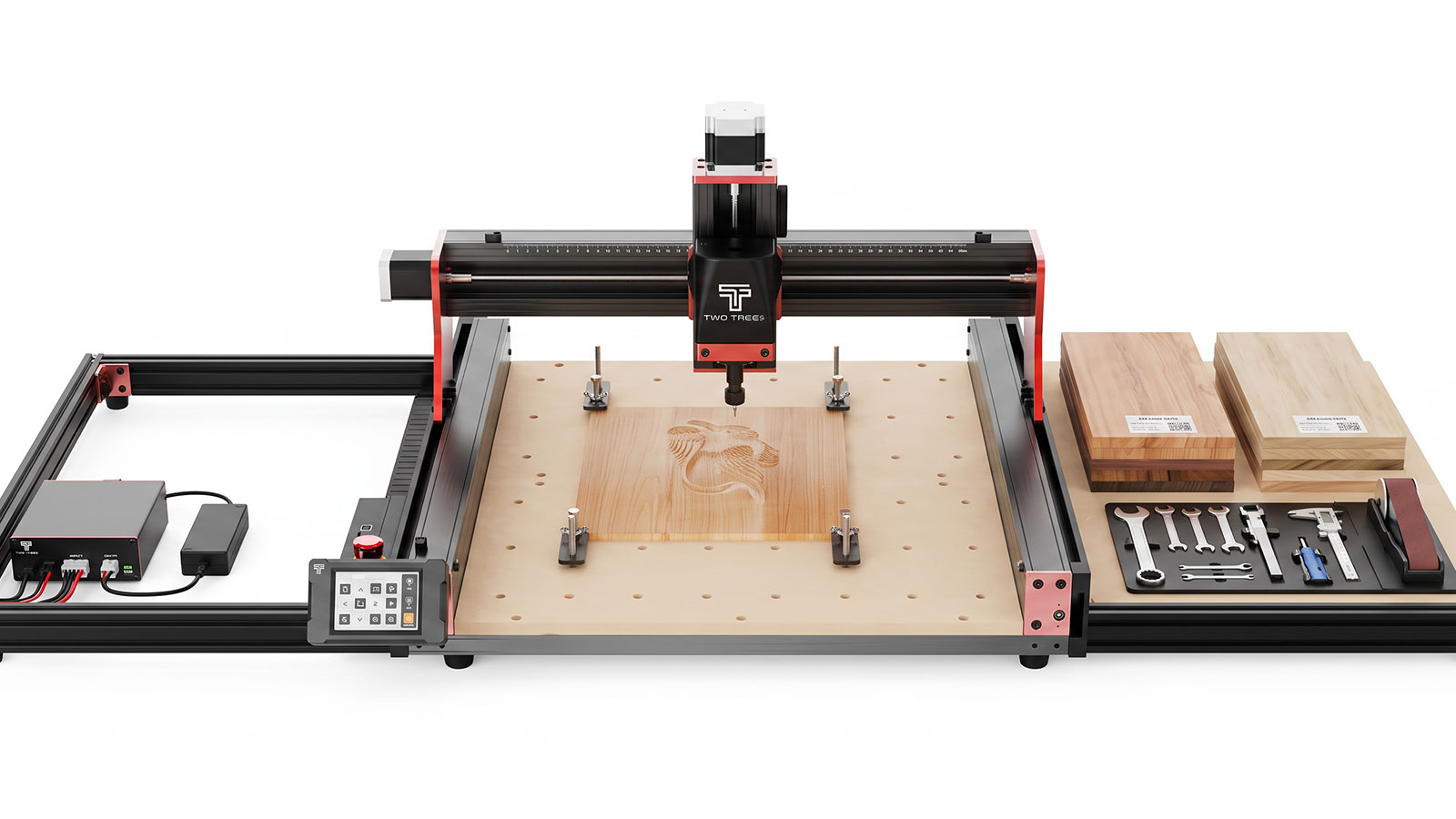
Once you've run a few jobs on a stock CNC router, it's usually clear where the limits are: the motor, the dust, the bed surface, or the shapes you can't cut in three axes. This guide covers the confirmed CNC router accessories and upgrades for the Two Trees TTC450 Pro, what problem each one actually solves, and which ones are worth buying versus which you can skip if your current setup is doing the job.
Spindle & Router Upgrades
The TTC450 Pro's stock motor is fine for light engraving and soft materials, but it runs out of headroom once you start cutting denser stock or want faster, cleaner passes. Jaycar stocks two motor upgrades that solve this differently.
500W 12,000 RPM Spindle Upgrade
Problem it solves: the stock motor bogs down or leaves a rougher finish on denser materials. Material: CAT.NO 002200. This spindle upgrade delivers 500W of power at up to 12,000 RPM, giving more consistent cutting force through harder stock without slowing the feed rate down to compensate.
800W 30,000 RPM Wood Router Upgrade
Problem it solves: slow, low-RPM cuts on wood and soft materials that leave a fuzzy or uneven edge. Material: CAT.NO 002202. Running at up to 30,000 RPM, this upgrade is built specifically for faster, cleaner cuts in wood and other soft materials, rather than the broader material range the 500W spindle targets.
Vacuum & Dust Extraction Upgrade
Problem it solves: dust and chips covering the bed and workpiece mid-cut, which hides the cut line and spreads fine dust through the workshop.
- Two Trees CNC Vacuum Upgrade (CAT.NO TL9001, $269.00) — a dust extraction unit built for the TTC450 Pro, with a brushless motor, auto start-stop tied to the router, and a built-in LED light.
- Replacement vacuum filters, 2pc (CAT.NO TL9004, $9.95) — keeps suction consistent once the original filter clogs up.
- Replacement vacuum bags, 2pc (CAT.NO TL9003, $14.95) — swap in once the current bag is full.
Spoilboard Replacement
Problem it solves: a worn, grooved or damaged spoilboard that no longer gives a flat, reliable surface under your workpiece, or a bit that's cut through to the actual bed underneath.
The Two Trees Spoil Board (CAT.NO TL9002, $49.95) is a direct-fit replacement for the TTC450 Pro's bed. It's worth checking your current board for deep grooves every few projects rather than waiting for a through-cut to damage the bed itself.
4-Axis CNC Module
Problem it solves: not being able to cut cylindrical or curved workpieces, since a stock 3-axis setup only cuts flat stock from directly above.
The Two Trees 4 Axis CNC Module Kit (CAT.NO 002201, $349.00) adds a rotary axis to the TTC450 Pro, with a three-jaw chuck that holds parts from 4mm to 60mm in diameter, plus a tailstock for longer pieces. It opens up cylindrical engraving and wraparound designs that a 3-axis machine simply can't reach.
Bit Sets
Problem it solves: buying individual bits one at a time when a job needs several types, or needing a specialty bit that isn't worth stocking as a single item.
- CNC Tripple Edged Set, 3.175mm, 10pc (CAT.NO TL9009, $69.95) — a triple-edge set covering a range of general milling jobs without buying each bit separately.
- CNC Corn Milling Cutter, 0.8–3.175mm Titanium, 10pc (CAT.NO TL9007, $69.95) — a titanium-coated, compression-style set suited to detailed engraving and fine milling work.
- CNC Metal Milling Cutter, 3.175mm, 3pc (CAT.NO TL9008, $49.95) — a metal-cutting set for stainless and aluminium blanks like pet tags and business cards.
When Each Upgrade Is Worth It
Not every upgrade needs to happen at once. This is roughly the order most people find worth following, based on the problem each one solves.
- Start with dust extraction — it affects every single job you run, regardless of material, so it pays off immediately.
- Replace the spoilboard as needed — cheap, and only worth doing once the current one is visibly grooved or damaged.
- Upgrade the spindle or router once you hit its limits — if the stock motor is already handling your material and finish requirements, there's no rush.
- Add the 4-axis module once you have a specific cylindrical project in mind — it's a bigger spend that only pays off if you're actually cutting round or wraparound stock.
- Buy bit sets around the job in front of you — a set is worth it once you need more than two or three bits of a similar type, rather than as a general stock-up.
Frequently Asked Questions
Do I need the spindle or router upgrade, or is the stock motor fine?
If the stock motor is already giving you a clean finish at a feed rate you're happy with, there's no need to upgrade. It's worth considering once you're cutting denser materials, running an upgraded bit set, or finding yourself slowing the feed rate down to compensate for the finish.
When is it time to replace the spoilboard?
Check it every few projects for deep grooves or through-cut damage. A spoilboard with a flat, mostly unmarked surface is fine to keep using, but once it's heavily grooved, replacing it is cheaper than risking damage to the actual bed underneath.
Is the 4-axis module worth it for a hobbyist?
Only if you actually have cylindrical or wraparound projects in mind, like engraved tumblers, table legs or curved handles. If your projects are mostly flat stock, like signs, tags and panels, a 3-axis setup covers everything you need.
What's the difference between a spare part and an upgrade?
A spare part, like a replacement standard spindle motor, restores the machine to its original stock performance after wear or damage. An upgrade, like the 500W or 800W motor options, replaces a working stock component with a higher-spec one to improve on the original performance.
Do I need the vacuum upgrade if I already have a shop vac?
A general shop vac can work, but the Two Trees CNC Vacuum Upgrade is built to mount directly on the machine and start and stop automatically with the router, which a standalone shop vac won't do without extra setup.
Can I buy bits individually instead of as a set?
Yes, individual bits are available if you only need one or two types. Sets make more sense once a job calls for several bit types in one sitting, since buying them as a set usually works out cheaper than buying each one separately.
Dust extraction and a decent spoilboard are the two upgrades almost everyone benefits from early on. The spindle or router upgrade, the 4-axis module and bit sets are worth adding as your projects actually call for them, rather than buying everything up front.