

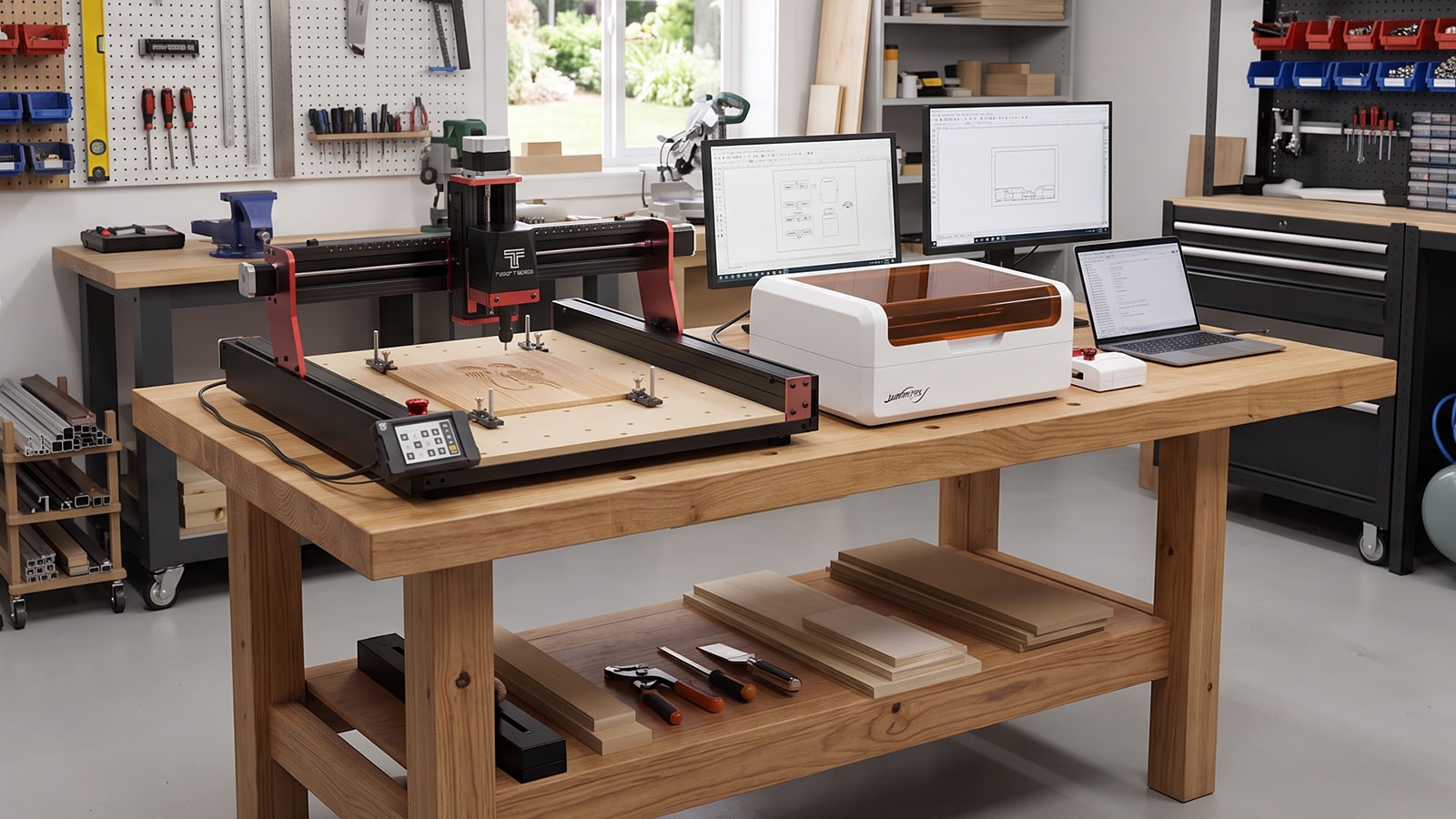
The short answer to CNC router vs laser engraver: a CNC router cuts and shapes material by physically removing it with a spinning bit, while a laser engraver marks, etches or cuts thin material by burning or vaporising the surface with a focused beam. If you need three-dimensional carving, drilling or shaping, a CNC router is the tool. If you need fast, detailed engraving or clean cuts through thin sheet material, a laser engraver usually wins.
This guide compares both across what they make, materials, workflow, learning curve, safety and cost, so you can decide which suits your projects, or whether you'll eventually want both.
Quick Comparison
Here's the short version before the detail:
- CNC router — removes material physically with a rotating bit. Best for 3D carving, drilling, shaping and cutting through thicker stock.
- Laser engraver — marks or cuts by burning or vaporising the surface with a focused beam. Best for fast, detailed engraving and clean cuts through thin sheet material.
- Noise and mess — a CNC router is noisier and produces chips and dust. A laser engraver runs quieter but produces fine smoke and fumes that need extraction.
- Starting cost — a genuinely capable entry benchtop machine of either type starts in a broadly similar range (see Cost to Get Started below).
What Each Machine Actually Makes
A CNC router is a subtractive tool: it removes material to create three-dimensional shapes. That covers relief carving, drilled holes, pockets, inlays, and cutting all the way through timber, acrylic or soft metal several millimetres thick. See the Two Trees TTC450 Pro review for a real example of what a benchtop CNC router can produce.
A laser engraver works on or through the surface rather than shaping it in three dimensions. It excels at fine, detailed engraving (photo-realistic images, small text, intricate patterns) and at cutting cleanly through thin sheet material, since the beam leaves a narrow kerf with very little material lost. What it doesn't do is remove enough material to carve a deep three-dimensional shape.
Materials Each One Handles
A CNC router like the TTC450 Pro is rated for wood, acrylic, plastics and soft metals, and can cut through several millimetres of most of those in one or more passes.
A laser engraver such as the Laservii M1 works well on wood, acrylic and leather, with coated metals workable for surface marking rather than cutting. Which materials are practical depends on the laser module fitted: the M1 ships with a 12W diode laser and can be upgraded to a 24W diode module or a 2W infrared module, and the module fitted changes what materials engrave or cut cleanly. As a general rule, a laser marks a surface or cuts thin sheet stock, it doesn't remove enough material to shape something in three dimensions the way a router does.
Workflow: Idea to Finished Piece
A CNC router job typically means designing in CAD or CAM software, generating G-code, securing the material to the bed, homing the machine, and running the job with dust extraction connected, often checking progress across multiple passes for anything cut deeper than a shallow engrave.
A laser engraver job is usually simpler in physical setup: prepare a vector or raster design in software like LightBurn, set power and speed for the material, secure the material flat on the bed, and run the job with an air assist pump helping keep the cut clean and the lens clear of debris. Ventilation or fume extraction runs the whole time the laser is cutting.
Learning Curve
A CNC router generally has more variables to learn upfront: bit selection, feeds and speeds, depth per pass, and work-holding all affect the result, and getting them wrong can snap a bit or ruin a workpiece.
A laser engraver has fewer physical variables, mostly power and speed settings per material, and an enclosed unit like the M1 removes some of the setup guesswork around alignment and beam containment. That said, dialling in the right settings for a new material still takes test cuts on both machines.
Safety Considerations
A CNC router's main hazards are moving parts, dust and fire risk from dust build-up, alongside the usual workshop electrical hazards. PPE, dust extraction and knowing where the emergency stop is all matter here, and the CNC router safety guide covers this in full.
A laser engraver's main hazards are different: fume extraction is critical since burning most materials releases smoke that shouldn't be breathed in, and eye protection matters even with an enclosed unit like the M1, since its housing is designed to contain beam exposure but shouldn't be treated as a reason to skip other precautions. Never disable, bypass or modify a laser's safety interlocks or enclosure for any reason.
Cost to Get Started
As a guide to current Australian pricing (check the product page for the latest price, since it can change and varies by region), the Two Trees TTC450 Pro CNC router lists at $1,199 and the Laservii M1 12W enclosed laser lists at $995. Both sit in a similar entry-level bracket for a genuinely capable benchtop machine.
Budget for extras beyond the machine itself: dust extraction and spare bits for a CNC router, or an air assist pump and fume extraction for a laser engraver. Both also offer upgrade paths instead of buying a second machine outright, a spindle or router upgrade for the TTC450 Pro, or a higher-power laser module upgrade for the M1.
Decision Guide: Which One Should You Buy
- Choose a CNC router if you need 3D carving, drilled holes, or parts cut through thicker stock, things like custom furniture parts, moulds, or deep relief signage.
- Choose a laser engraver if you need fast, detailed 2D engraving or clean cuts through thin sheet material, things like photo-realistic engravings, personalised gifts, or cut-out ornaments.
- Still not sure? Plenty of makers end up owning both, since they solve different problems rather than competing for the same job.
Frequently Asked Questions
Is a CNC router or laser engraver better for beginners?
Both have a learning curve, but a laser engraver's fewer physical variables generally make it a gentler start, especially with an enclosed, software-guided unit. A CNC router involves more setup steps around bits, feeds and work-holding before a first job goes smoothly.
Can a laser engraver cut wood like a CNC router?
It can cut through thin wood cleanly, but not thick stock, and it can't carve a three-dimensional shape the way a router does. Think of a laser as excellent at flat, detailed work and thin cut-throughs, and a router as the tool for anything that needs real depth.
Can a CNC router engrave as finely as a laser?
Not to the same level of fine detail. A router's bit size limits how small a feature it can cut, while a laser's much finer spot size handles intricate detail and photo-realistic engraving that a router physically can't match.
Which is safer, a CNC router or a laser engraver?
Both are safe when used correctly, but the hazards differ. A CNC router's main risks are moving parts and dust, while a laser engraver's main risk is fume exposure and eye safety around the beam. Neither is inherently safer, they just need different precautions.
Do I need both a CNC router and a laser engraver?
Not necessarily to start. Pick based on the projects you actually have lined up first, and add the other machine later if your work grows into the space the first one doesn't cover.
Which costs more to run day to day?
Running costs are broadly comparable for typical hobby use, bits wear out and need replacing on a CNC router, while a laser engraver's diode module has its own working life. Neither has a significant ongoing consumables cost beyond that for occasional home or small-business use.
Neither machine is objectively better, they solve different problems. A CNC router shapes and carves in three dimensions, a laser engraver marks and cuts flat and thin with fine detail. Match the machine to the projects you actually want to make, and you'll get more out of either one.