

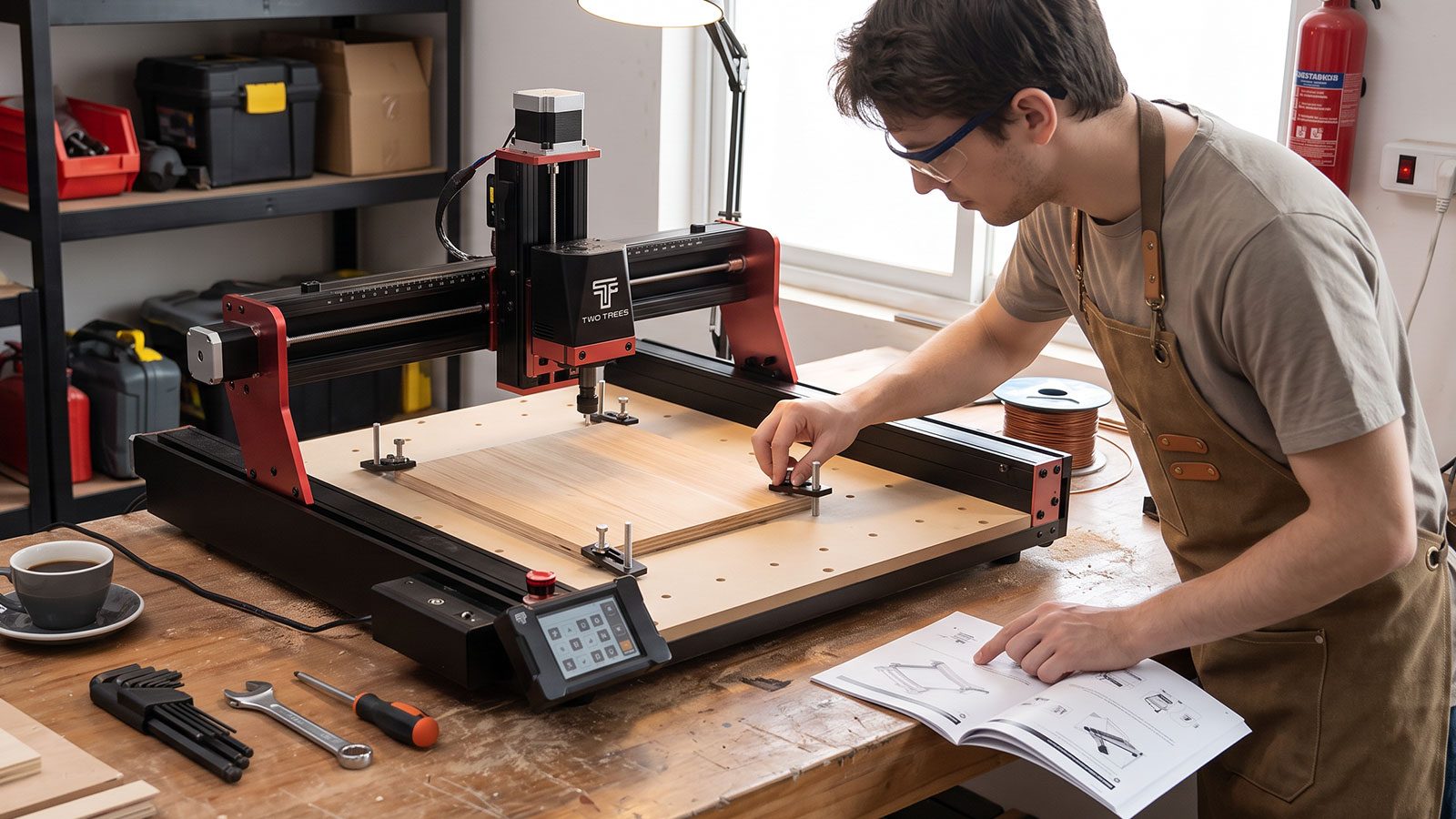
This CNC router guide is for anyone starting out: a CNC router is a computer-controlled cutting machine that spins a bit through wood, plastic or soft metal to mill, engrave or cut out a shape you have designed on a computer. It follows a programmed path with far more precision and repeatability than cutting by hand. This guide covers how CNC routers work, the types available to beginners, the materials they handle, the specs worth understanding before you buy, and how to set one up safely.
What Is a CNC Router?
CNC stands for computer numerical control. A CNC router takes a digital design, converts it into a set of movement instructions called G-code, and drives a spinning cutting bit through material along that exact path. The result is a repeatable, precise cut that would be very hard to reproduce by hand, especially for detailed shapes, engraving or multiple identical parts.
The Basic Components
- Spindle or router — the motor that spins the cutting bit at high speed.
- Gantry — the frame that moves the spindle across the X, Y and Z axes.
- Bed — the flat surface that holds your material in place while it is cut.
- Controller — the electronics and software that translate your design into motor movements.
From Design to Cut: The CAD/CAM Workflow
Getting from an idea to a finished cut involves two stages. CAD (computer-aided design) software is where you draw or import the shape you want, whether that is a 2D outline or a full 3D model. CAM (computer-aided manufacturing) software then takes that design and works out the actual toolpath the bit needs to follow, generating the G-code that tells the machine where to move, how fast, and how deep. Most beginner-friendly machines pair with software that handles both steps in one place, so you are not learning two separate programs on day one.
CNC Router vs Hand Tools
A hand router or jigsaw relies entirely on your steadiness and skill. A CNC router removes that variable: once a design is programmed, it will cut the same shape the same way every time, which matters for anything that needs to be accurate, repeated, or genuinely difficult to cut freehand, such as fine lettering or interlocking parts.
Types of CNC Routers for Beginners
Not every CNC router is the same size, price or purpose. Beginners generally choose between three broad categories.
Desktop & Benchtop Kits
Small, entry-level machines with a work area typically under 300 x 300mm. They are the cheapest way into CNC routing and suit small signage, jewellery, PCB milling and hobby projects, though their lighter frames are less rigid than larger machines.
Full-Size Hobby Machines
Larger routers with work areas from around 600 x 600mm up to full sheet size. These suit furniture parts, larger signage and production runs, but they take up more space, cost more, and are a bigger step for a first machine.
All-in-One Multi-Tool Machines
Some machines combine a CNC module with a 3D printer and a laser engraver in one modular platform, swapping the tool head depending on the job. This suits beginners who are not sure yet whether they will use CNC routing, laser cutting or 3D printing most, since one machine covers all three without needing separate workshop setups.
What Materials Can You Cut?
A CNC router handles a wide range of materials once you have the right bit and settings for each one: timber, plywood and MDF, acrylic and other plastics, foam, composite board, and soft metals such as aluminium, brass and copper. It is not suited to hardened steel, glass, ceramic or stone. For a full breakdown of which materials work best and how to set up your bit and feed rate for each one, see our companion guide on what materials a CNC router can cut.
What Does a Beginner CNC Router Cost in Australia?
Prices vary a lot depending on size, rigidity and what is included in the box. As a rough guide for the Australian market:
- Entry-level desktop kits — generally the cheapest way in, with a small work area and a lighter frame that suits small signage, jewellery and hobby parts.
- Mid-range hobby machines — a step up in bed size and rigidity, better suited to furniture parts, larger signage and more demanding materials.
- All-in-one multi-tool machines — sit in the mid-to-premium range but replace three separate machines (CNC, laser and 3D printer) with one modular platform, which can work out better value if you want all three capabilities.
Beyond the machine itself, budget for bits, a spare set of clamps, and dust extraction, since these are easy to overlook in the initial purchase price but matter from your very first project.
Key Specs to Understand Before You Buy
Spec sheets can be overwhelming for a first-time buyer. These are the ones that actually affect what you can make.
Work Area & Bed Size
This is the maximum size of material the machine can cut in one pass. Buy for the projects you actually plan to make, not the biggest number available, since a larger bed also means a larger footprint in your workshop.
Spindle Power & Type
Spindle power affects how fast and how deep you can cut, and which materials are realistic. A low-power spindle can still cut wood and plastic well; cutting soft metal reliably needs more power and a metal-rated bit.
Motion System & Frame Rigidity
A rigid frame with smooth linear rails or guides produces cleaner cuts and lets you push feed rates further. Flexy, lightweight frames are more prone to vibration, which shows up as a rougher finish on your cut edge.
Software & Controller
Most beginner machines use widely supported control software, so check that the machine works with common, well-documented CAM software before you buy, and look for a controller with auto-leveling or homing, since it removes a lot of early setup frustration.
Setting Up Your First CNC Router
Start with a simple, flat, forgiving material like MDF or plywood for your first few cuts. Square up your bed, secure your material with clamps or tape rather than relying on gravity, home the machine correctly, and always run a test cut on an offcut before committing to your actual material. Rushing the first setup is the most common reason beginners end up with a ruined first project.
Safety Essentials for CNC Routing
A CNC router throws dust and, occasionally, small chips, so basic PPE is not optional. Safety glasses protect against flying debris, and a mask matters most when cutting MDF, composites or carbon fibre, since the fine dust from these materials is a genuine respiratory hazard. A stable, clamped-down workpiece and a tidy, well-lit workbench also go a long way toward preventing avoidable mistakes.
Shop Stands & SafetyCNC Router vs Laser Cutter vs 3D Printer
If you are choosing your first maker tool, it helps to know what each one is actually good at before you commit to a purchase.
- CNC router — best when you need to cut or shape solid material and the part needs real mechanical strength, such as furniture parts, brackets or signage.
- Laser cutter/etcher — faster and more precise on thinner sheet material and detailed engraving, but limited in material thickness and cannot cut metal beyond light surface marking.
- 3D printer — best for complex shapes that would be difficult or wasteful to cut from a solid block, and for quick prototyping before you commit to a CNC-cut version.
If you are not sure which one you will use most, an all-in-one multi-tool machine that swaps between the three is a practical way to try each before specialising.
Shop FDM 3D PrintersCommon Beginner Mistakes
- Buying too big a machine first — a larger bed costs more and takes up more space than most first projects actually need.
- Skipping the test cut — running an untested design straight onto good material is the fastest way to waste it.
- Ignoring dust extraction — fine dust from MDF and composites is a genuine health risk, not just mess.
- Using the wrong bit for the material — a wood bit run on plastic or metal causes melting or rapid wear.
- Not securing the workpiece — a shifting workpiece mid-cut can ruin the part and damage the bit.
Where to Go From Here
Once you understand how a CNC router works and what it can cut, the next step is choosing an actual machine. Our companion guide on the best CNC router for beginners in Australia covers what to look for and Jaycar's own all-in-one option in more detail. After your first few cuts, a compact rotary tool makes light work of sanding, deburring and polishing the finish on your parts.
Shop Rotary Tool KitsFrequently Asked Questions
Is a CNC router hard to learn for a complete beginner?
No, most beginner machines are designed to be approachable, with guided setup and widely supported software. The learning curve is mostly about understanding your material and settings, which comes quickly once you have made a few test cuts.
How much space do I need for a CNC router?
A desktop machine can fit on a standard workbench, while full-size hobby machines need dedicated floor or bench space roughly equal to their bed size plus room to move around it. Check the machine's full footprint, not just its work area, before you buy.
Do I need to know CAD or coding to use a CNC router?
Basic CAD skills help, but you do not need to be an expert. Most beginners start with simple design software or ready-made project files, and the machine's own software converts your design into the movement instructions automatically.
Can one machine do CNC routing, laser cutting and 3D printing?
Yes, some modular machines swap between a CNC module, a laser module and a 3D printing module on the same platform, which suits beginners who are not yet sure which process they will use most.
What is the cheapest way to start with CNC routing?
A small desktop CNC kit is the lowest-cost entry point, though it comes with a smaller work area and a lighter frame than larger machines. Buy based on the size of the projects you actually plan to make rather than the lowest price alone.
A CNC router rewards patience more than raw skill. Start small, learn your machine on forgiving material like MDF, and build up to trickier materials and bigger projects once your settings and technique are dialled in. From here, our buying guide and materials guide will help you pick the right machine and get the most out of your first cuts.