


Many toys, tools, robotics projects, and other hobby items use gears. Until recently, unless you had access to expensive CNC equipment, making replacement gears at home was virtually impossible. Thanks to the rise of sub-$500 3D printers, that's completely changed - it's now simple to print your own gears to replace broken ones or design entirely new mechanisms.
What Can You Make With 3D Printed Gears?
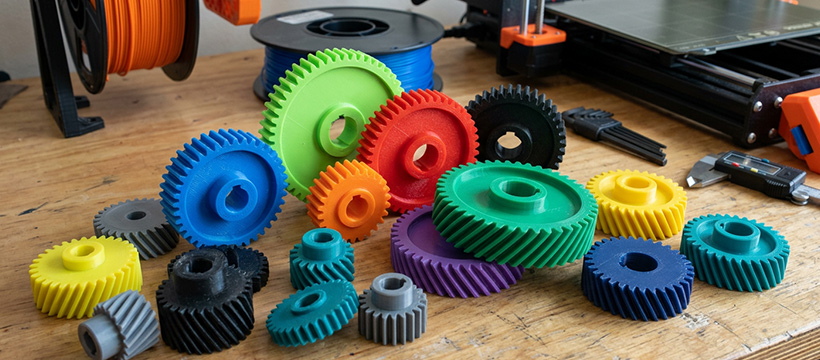
3D printed gears have a surprisingly broad range of applications:
- New mechanisms - design custom gearing for original projects, like the Modular Marble Machine described below.
- Repair parts - replace broken gears in toys, tools, and hobby items such as R/C cars and tanks.
- Printer upgrades - print gears to repair or improve your own 3D printer, including extruder gears and GT2 belt pulleys.
You don't always need to design from scratch either. Sites like Thingiverse host thousands of free gear files - search for "replacement gear" or try a gear generator to parametrically design exactly what you need.
Choosing the Right Filament
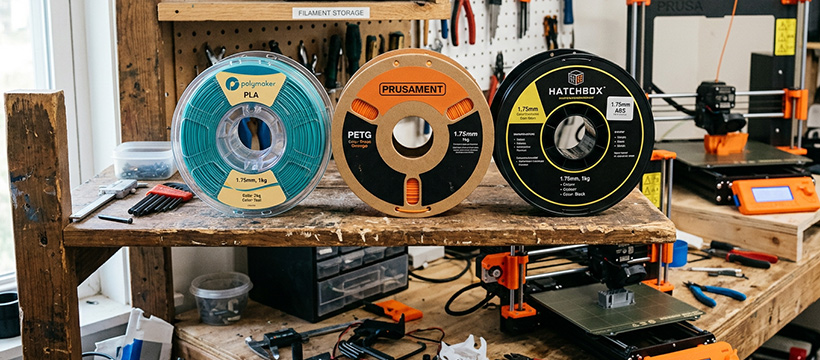
Filament choice has a direct impact on gear performance and longevity:
- PLA - ideal for room-temperature applications; easy to print and widely available.
- PETG - suited to medium-heat environments; tougher and slightly more flexible than PLA.
- ABS / ASA - best for higher-temperature or outdoor environments; requires an enclosed printer and good ventilation.
For the Marble Machine project below, Jaycar's Flashforge PLA produced excellent results - PETG is also a good choice. When experimenting with more exotic filaments for higher-strength gears, keep in mind the trade-offs with printability and nozzle requirements.
Shop 3D Printer FilamentDesigning Gears
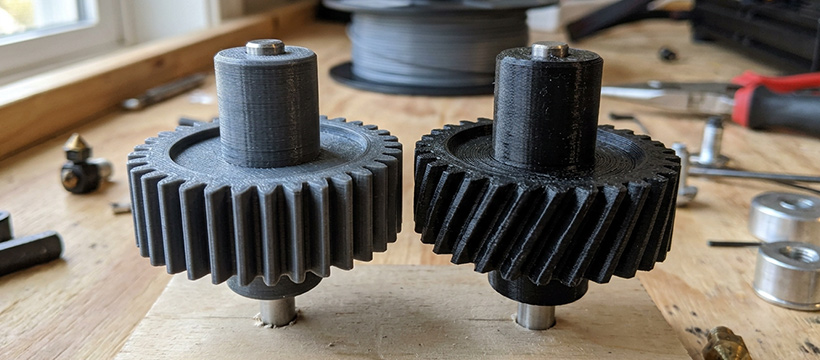
Size Limits
3D printed gears have two key size constraints. The upper limit is your printer's bed size - typically 120–220mm for most hobby machines. The lower limit is set by your nozzle diameter: you can't reliably print details much smaller than your nozzle size.
A standard 0.4mm nozzle handles most gears well, including extruder gears and GT2 pulleys. For gears with very fine teeth, you may need to step down to a 0.3mm, 0.25mm, or even 0.2mm nozzle - though smaller nozzles require higher extrusion temperatures, which can introduce stringing.
Software
While SketchUp and Fusion 360 can produce great gears, OpenSCAD is particularly well-suited for parametric gear design. By defining values as variables rather than hard-coded dimensions, you can change tooth count or gear ratio and have the entire model rescale automatically - a huge advantage when iterating on a project.
The Key Maths
Most of the geometry is handled by your CAD software. The main values you'll need to set are:
- Number of teeth - determines the gear ratio to meshing gears.
- Pitch / circular pitch - the spacing between adjacent teeth; sets the overall gear size.
- Pressure angle - influences gear strength; 20–30° is common, with higher values producing stronger teeth (28° was used in the Marble Machine).
For replacement gears, you'll need accurate digital calipers to measure diameter, pitch, gear width, axle size, boss diameter, and boss width. When measuring axle size, measure the device's actual axle - not the gear hole - for best accuracy.
Types of Gears You Can 3D Print
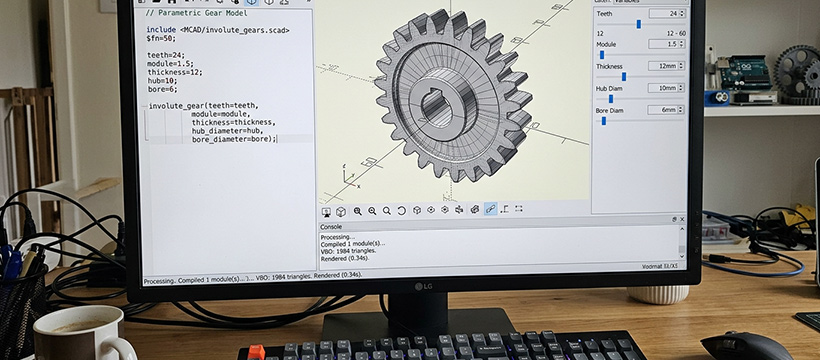
The most commonly 3D printed gear types are:
- Spur gears - straight-cut teeth around the edge; the standard choice for most projects, including the Marble Machine.
- Helical gears - angled or double-helix teeth; commonly used in geared extruders to minimise backlash and reduce noise.
You can also print bevel gears, worm gears, and planetary gear assemblies. geargenerator.com has an excellent interactive display showing different gear types meshing in real time.
Practical Example: Modular Marble Machine

As a practical demonstration, we designed a motorised Modular Marble Machine where nearly everything - including all gears - was printed on a standard FDM printer.
Parts Required
- 1 × 6V Micro Motor 30:1 Gearbox - YM2800
- 2 × 1×AA Battery Holders - PH9203
- 1 × SPDT Centre-Off Miniature Toggle Switch - ST0336
- 1 × Short length of 4mm Teflon tube (2mm ID) - TL4277
- 14 × 3mm × 20mm countersunk screws - HP0410
- Short length of 2mm carbon fibre rod (hobby stores)
- 42+ × 10mm spherical steel ball bearings (fishing tackle or engineering suppliers)
Wiring
The circuit is simple: a centre-off toggle switch, a motor, and two AA batteries. Fast mode runs both batteries in series for 3V; slow mode puts them in parallel for 1.5V with doubled current capacity. The project runs on 1–4V and draws around 40mA, so batteries last a long time.
Printing the Parts
STL print files and OpenSCAD source code are available for download from the Jaycar website. All parts are printable on any printer with a bed of at least 145×145mm. Key print settings:
- Standard parts: 25% infill, supports on, no raft
- Gears: 85% infill, supports on - for maximum strength
- Nozzle: standard 0.4mm throughout
Assembly
Modules clip together using joiner keys and 2mm alignment pins - cut from carbon fibre rod (brass, copper, or aluminium also works). Join all chutes first, then install the three gears: big gear first using a 2mm carbon fibre rod with glued cap, then the middle gear, then the motor gear. Secure the baseplates to a 200×200×16mm wooden base and attach the battery holders with hot-melt glue or double-sided tape.
Testing
The machine is designed for up to 42 steel marbles - more than that can block the funnel exit. Make sure the big gear rotates clockwise when viewed from the front; it will jam at full speed if reversed.
Shop Gears & TransmissionsTools & Accessories
To measure existing gears for replacement printing, you'll need quality digital calipers - Mitutoyo are considered top-tier, but good-value options are available at Jaycar and other electronics retailers. When upgrading to smaller nozzles, a geared extruder can help manage the extra back-pressure required for fine detail.
Other useful gear-printing accessories include a Dremel with a rounded diamond polishing bit for smoothing chute interiors, and good-quality PLA filament for alignment pins in place of metal rod.
Shop 3D Printing AccessoriesDownloadable Resources
The STL print files and OpenSCAD source code for the Modular Marble Machine (updated with additional motor gears and joiners) are available to download directly from Jaycar: