

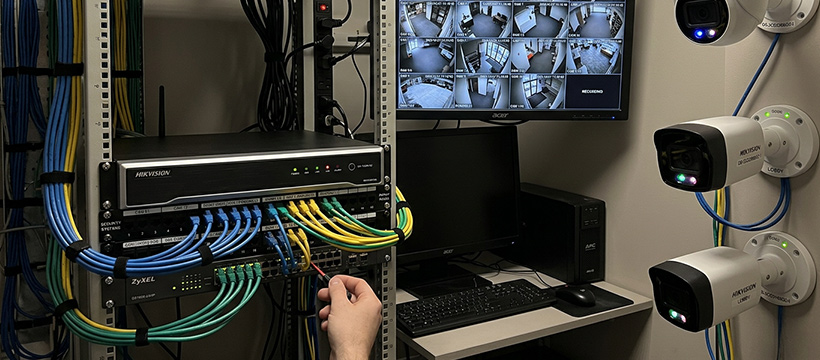
What is an NVR?
A Network Video Recorder (NVR) is a surveillance recording system that captures and stores footage from IP (Internet Protocol) cameras over a standard computer network. Unlike traditional DVR systems that use analogue coaxial cabling, an NVR communicates entirely over your existing network infrastructure.
This makes NVR systems a natural fit for homes and businesses that already have structured Cat5/Cat6 cabling in place, or that want to take advantage of modern IP camera technology for higher-resolution, more flexible surveillance setups.
NVR vs DVR: Cabling & Installation
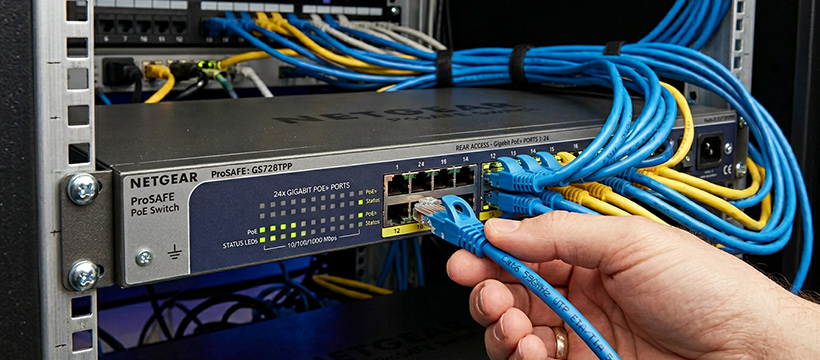
The main point of difference between NVR and traditional DVR systems is cabling. NVRs use standard networking cables and hardware — the same Cat5/Cat6 you'd find in a home or office network. This is a significant advantage if structured cabling is already in place.
Because the signal is digital end-to-end, there is no perceptual quality loss over long cable runs. Cat5e cable supports runs of up to 100 metres per segment, making it practical to cover large properties without signal degradation.
- Power Over Ethernet (PoE) — most NVRs supply power to cameras through the same network cable, eliminating the need for a separate power supply at each camera location
- One cable does it all — a single Cat5/Cat6 run handles both data and power, making installation cleaner and easier
- Compatible with existing networks — if your property already has structured cabling, you may be able to leverage it directly
Picture Quality
NVR and IP camera systems handle high-resolution video natively. Because the signal is digital from the moment it leaves the camera, there is no conversion loss. This means NVR systems can support full HD, 2K, and 4K footage without any special hardware beyond the cameras themselves.
The recorded resolution depends on the cameras you pair with your NVR. When shopping, look for:
- 4K / UHD cameras — best detail for large areas, licence plate capture, or high-security applications
- 1080p Full HD cameras — a solid all-round choice for most home and small business use cases
- Wide dynamic range (WDR) — helps cameras handle scenes with both bright and dark areas (e.g. a doorway lit from behind)
- Infrared night vision — essential for 24-hour coverage; check the stated IR range matches your coverage needs
Monitor Display & Remote Access
Most NVRs include an HDMI output for connecting a local monitor, giving you a live view directly at the recorder. But because NVRs run over IP, you can also view footage through a web browser on any computer connected to the same network — no dedicated monitor hardware required.
This is particularly useful if the cameras are purely for security review rather than constant monitoring. You simply log in via browser when you need to check footage, and otherwise the system runs unattended.
Shop IP & Wireless CamerasMobile Monitoring
Because NVR systems already operate over IP networking, virtually every modern NVR supports mobile device access via a companion app. This means you can check in on your cameras from anywhere with an internet connection — at work, on holiday, or across the other side of the world.
Features to look for in mobile apps include:
- Live view — real-time stream from any camera in your system
- Motion alerts — push notifications when movement is detected
- Playback — review recorded footage directly from your phone
- Multi-site management — useful if you manage surveillance across more than one property
Mobile monitoring is also available on many traditional DVR systems, so it's not unique to NVR setups. That said, NVR's native IP architecture makes implementation more seamless and reliable in practice.