
Progress Bar

Skip to main content

Jaycar
...

TV Brackets, HDMI Cables and AV Converters: Complete Setup GuideĀ 

TV Brackets, HDMI Cables and AV Converters: Complete Setup GuideĀ 

Updated February 2026

Share

If you’re setting up a home entertainment system, the small details matter. TV brackets and HDMI cables don’t just hold things together- they affect picture quality, comfort and how well everything runs.

Mount the screen in the wrong spot and it’s awkward to watch. Use the wrong HDMI standard and you won’t get the performance your TV or console is capable of.

The right AV accessories- like HDMI switchers, audio extractors and converters- keep everything compatible and make future upgrades simple.

TV Brackets: Wall Mounting for Safety and Better ViewingĀ 

bracket-av-banner-1.png
shoptherange-cta-button.png

A TV wall mount improves both safety and viewing comfort. Wall mounting your TV reduces the risk of tipping and frees up cabinet space. It also lets you position the screen at proper eye level to minimise glare and neck strain.

There are three main types of TV brackets:
• Fixed TV bracket – Slim profile, sits close to the wall
• Tilt TV bracket – Angles downward to reduce reflections
• Full motion TV mount – Extends and swivels for flexible positioning

Before buying, you need to confirm the correct VESA mounting patternĀ . VESA refers to the spacing (in millimetres) between the four mounting holes on the back of your TV- for example 200Ɨ200, 400Ɨ400 or 600Ɨ400. You can find this in your TV manual or measure the horizontal and vertical distance between the holes yourself.

Make sure the bracket supports both your TV’s VESA pattern and its weight rating. If either doesn’t match, the mount won’t be compatible.

HDMI Cables: Choosing the Right Standard

bracket-av-banner-2.png
shoptherange-cta-button.png

Not all HDMI cables support the same performance. The HDMI version determines resolution, refresh rate and bandwidth- and using the wrong one can limit what your equipment is capable of delivering.

• HDMI 2.0 – Supports 4K at 60Hz (18Gbps bandwidth)
• HDMI 2.1 – Supports 4K at 120Hz and 8K (48Gbps bandwidth)

Choosing the right cable matters because bandwidth affects picture smoothness, colour depth and audio features.

If you use a lower-spec cable with a high-performance device, you may lose 120Hz gaming, HDR capability or advanced audio formats.

For gaming consoles like PS5 or Xbox Series X, use an Ultra High Speed HDMI cable (HDMI 2.1). For streaming devices and Blu-ray players, HDMI 2.0 is usually sufficient.

Look for support for:
• HDR (High Dynamic Range)
• ARC / eARC (Audio Return Channel)
• CEC device control

Always match the HDMI cable to your TV and source device so the cable doesn’t become the bottleneck in your system.

Infrared Remote Control Extenders

heading-3-image.png
shoptherange-cta-button.png

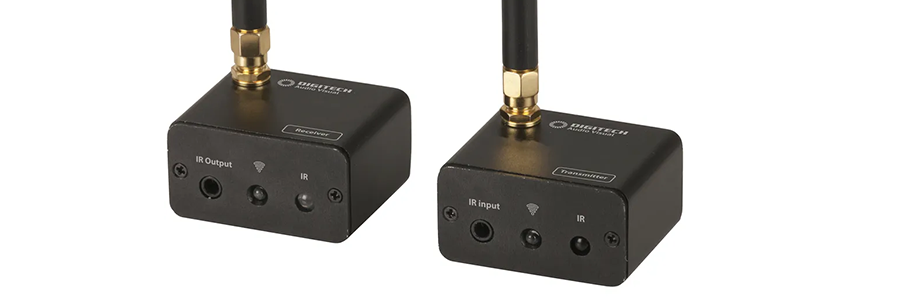
There are two main types of IR extenders: wireless IR extenders and wired IR extenders.

A wireless IR extender captures the remote signal near your TV and retransmits it to hidden devices without running extra cables between rooms. This is ideal for wall-mounted TVs, clean living room installs or situations where running additional wiring isn’t practical.

A wired IR extender uses a physical cable between the receiver and emitter. It offers a more stable and interference-free connection, making it better suited to permanent installations, equipment racks or commercial setups where reliability is critical.

Both options allow you to control set-top boxes, media players or AV receivers without opening cabinet doors- the choice depends on installation complexity and required reliability.

Composite AV to HDMI Converters

heading-4-image.png
shoptherange-cta-button.png

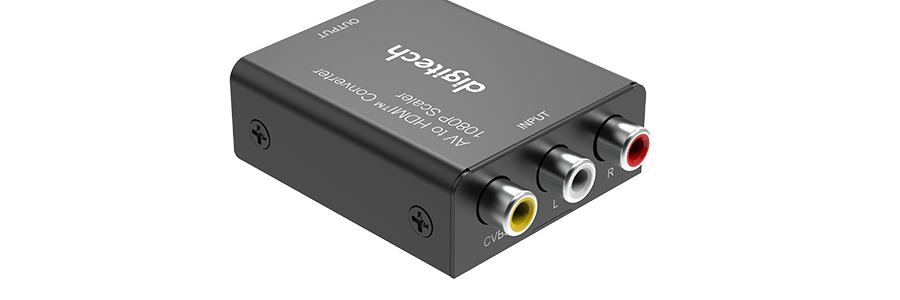
Older equipment often uses composite AV connections (red, white and yellow RCA cables). Modern TVs prioritise HDMI inputs.

A composite to HDMI converter does just that, it converts analogue signals into digital HDMI output. Most units upscale to 720p or 1080p to suit current displays.

This allows retro gaming consoles, older DVD players and VCRs to connect to modern TVs without replacing functioning equipment. While it won’t improve the original source resolution, it restores compatibility.

4K / 8K HDMI Switchers & Splitters

heading-5-image.png
shoptherange-cta-button.png

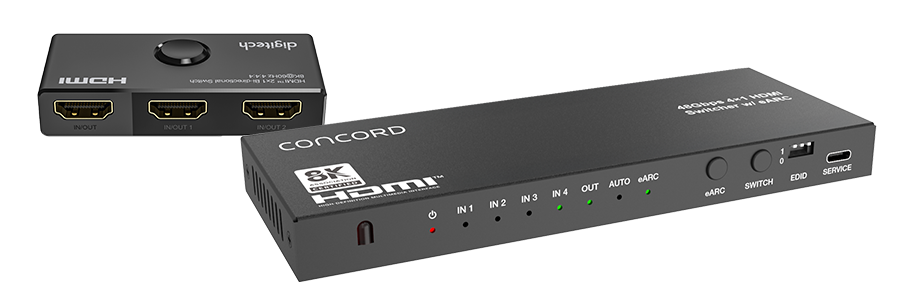
Many TVs have limited HDMI inputs. An HDMI switcher expands available ports by allowing multiple source devices to connect to a single HDMI input on your TV.

You can connect:

  • Gaming consoles
  • Streaming boxes
  • Blu-ray players
  • Media PCs

You then select the active input using a remote or front button. This prevents constant cable swapping and reduces wear on HDMI ports. For high-performance systems, ensure the HDMI switch supports your required resolution and refresh rate (HDMI 2.0 for 4K/60Hz, HDMI 2.1 for 4K/120Hz or 8K).

It’s important not to confuse a switcher with an HDMI splitter.

An HDMI splitter does the opposite. It takes one HDMI source and duplicates the signal to multiple displays. For example:

  • One media player → Two TVs
  • One set-top box → TV and projector
  • One digital signage player → Multiple screens

Switchers are used when you have many sources and one display.Ā 
Splitters are used when you have one source and multiple displays.

As with switchers, HDMI splitters must support the required resolution and bandwidth of your system to maintain full video and audio performance.

Optical TOSLINK Splitters

heading-6-image.png
shoptherange-cta-button.png

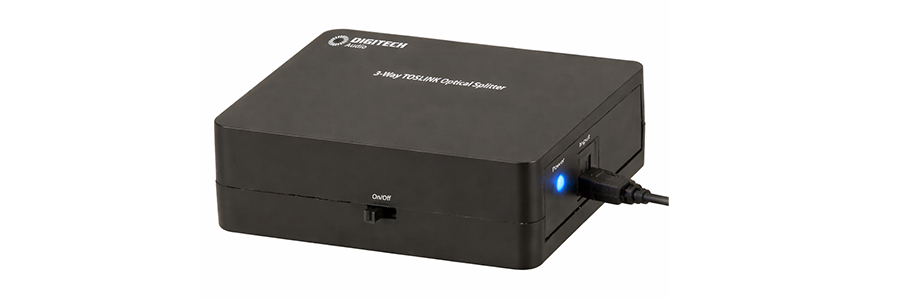
TOSLINK optical cables transmit digital audio using light. They’re resistant to electrical interference and ideal for clean audio transmission.

An optical audio splitter duplicates a single optical output into two signals. This allows one TV optical output to feed both a soundbar and a separate audio processor or amplifier.

It’s useful when you need multiple audio destinations but your display provides only one optical port.

HDMI Cat6 Extender with IR

heading-7-image.png
shoptherange-cta-button.png

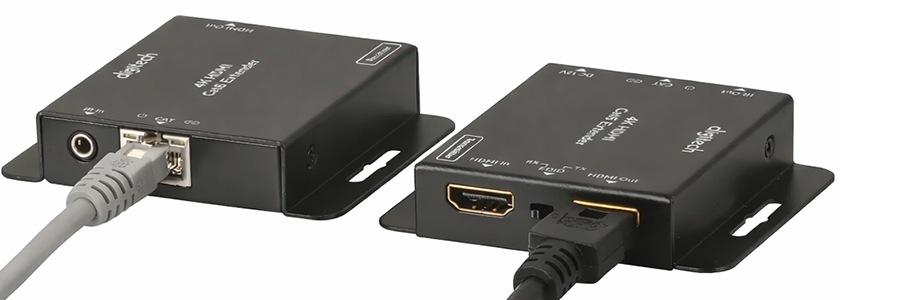
HDMI cables have distance limitations. Beyond 10–15 metres, signal degradation can occur.

An HDMI over Cat6 extender converts HDMI signals for transmission over Ethernet cable, allowing much longer runs- often 40–60 metres or more. Many models include IR pass-through, so you can control the source device from the display location.

These are commonly used in projector installations, commercial displays and multi-room AV systems where source devices are centrally located.

HDMI Audio Extractors

heading-8-image.png
shoptherange-cta-button.png

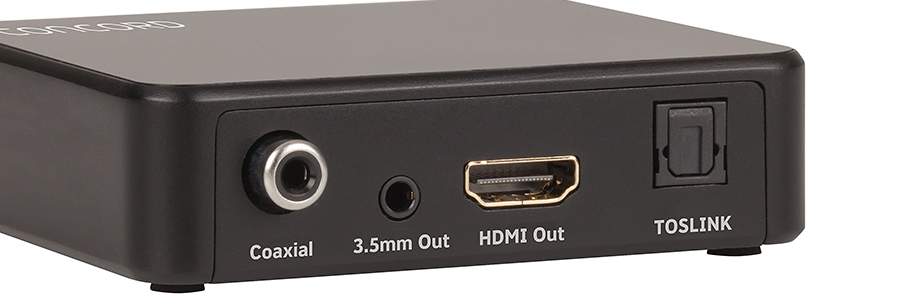
Modern streaming devices often output audio exclusively via HDMI. Older amplifiers may not have HDMI inputs.

An HDMI audio extractor separates the HDMI signal into video (sent to the TV) and standalone audio output via optical, RCA or 3.5mm. This allows you to integrate new source devices with legacy audio systems.

It’s a cost-effective solution for maintaining compatibility without replacing functional AV equipment.

Building a Reliable AV Setup

A reliable home theatre setup depends on correct mounting, proper HDMI cables and the right AV accessories. Matching HDMI standards, managing signal distance and using converters where required prevents compatibility issues and protects performance.

When planning your TV installation, focus on the full signal path- from source device to display and audio system. The right combination of TV brackets, HDMI cables and AV converters keeps everything working properly now and into the future.